
Dashboard
See the whole workspace at a glance
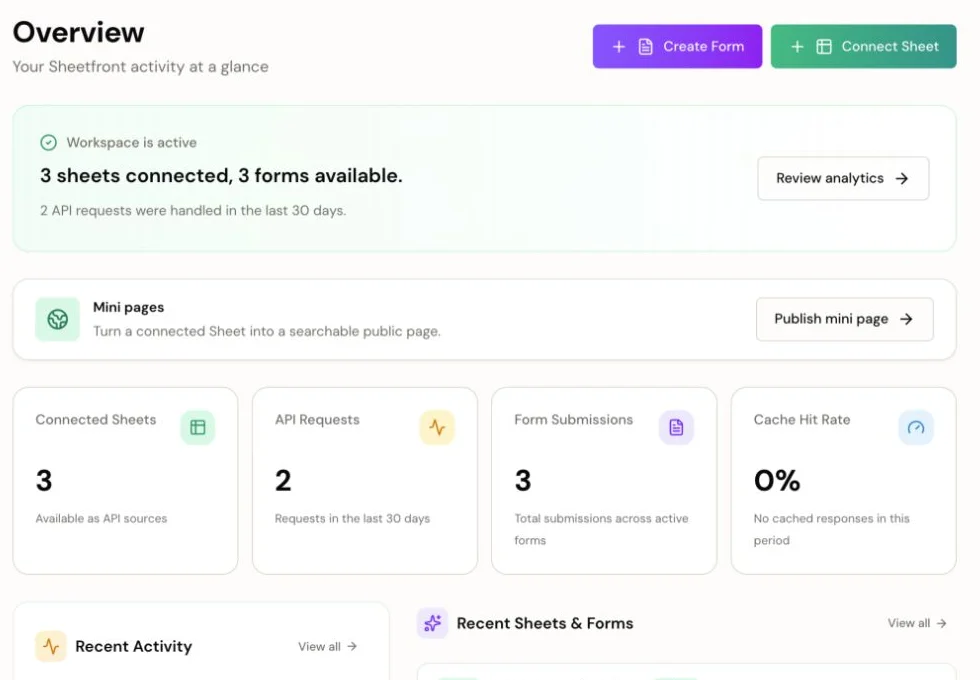
Track connected sheets, forms, API requests, submissions, recent activity, and the next publishing step from one overview.
Sheets Forms Activity
Workspace view
Sheet source
Google Sheets to mini pages, forms, and APIs
Connect one Sheet. Publish a searchable mini page, collect rows with a form, and call a REST API for the same data. No database setup, no OAuth wrestling, no weekend lost to plumbing.
One connected Sheet powers the dashboard, public page, and form.
Product screenshots
The Harbor Market examples use fictional rows and generated images, so the data looks realistic without implying a real customer deployment.
Track connected sheets, forms, API requests, submissions, recent activity, and the next publishing step from one overview.
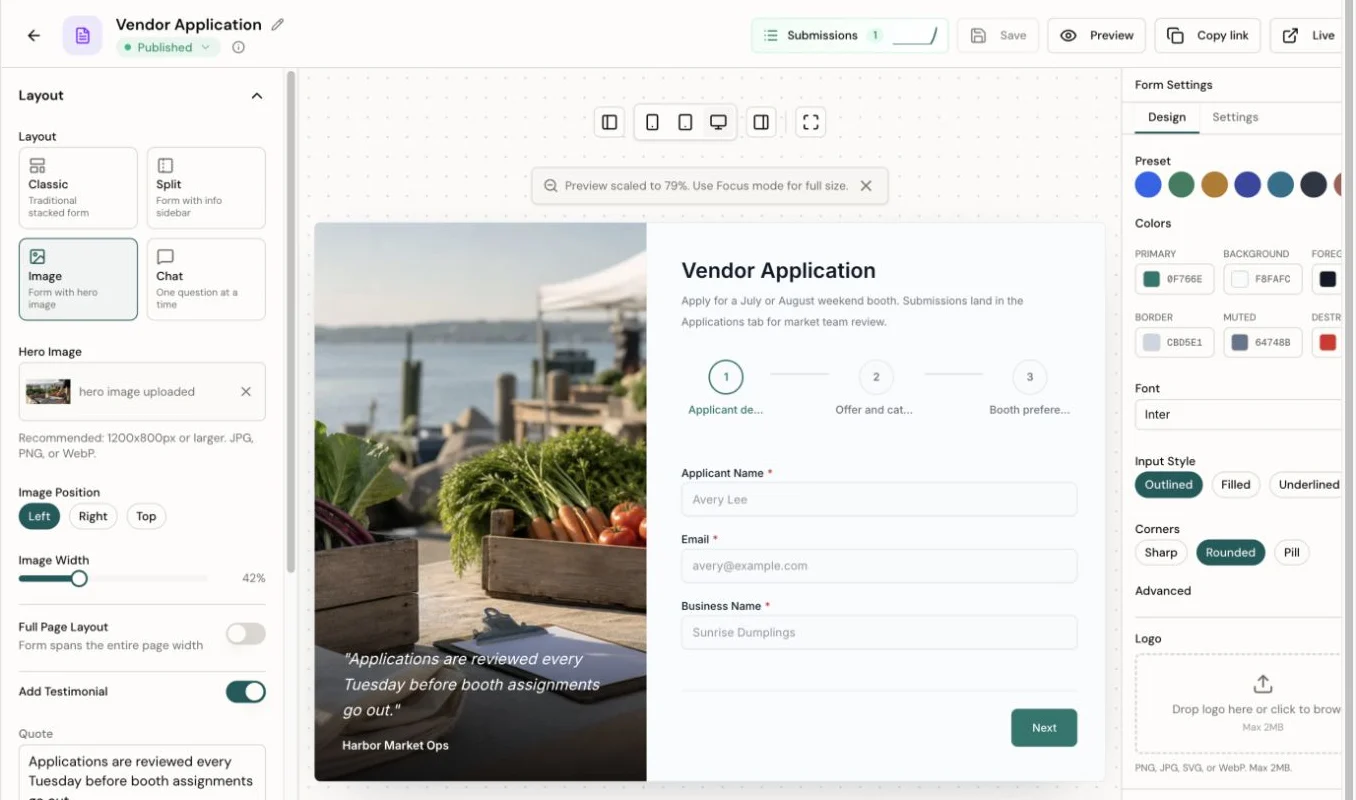
Use the form editor to choose layout, add sections, tune images and theme settings, and preview the visitor experience.
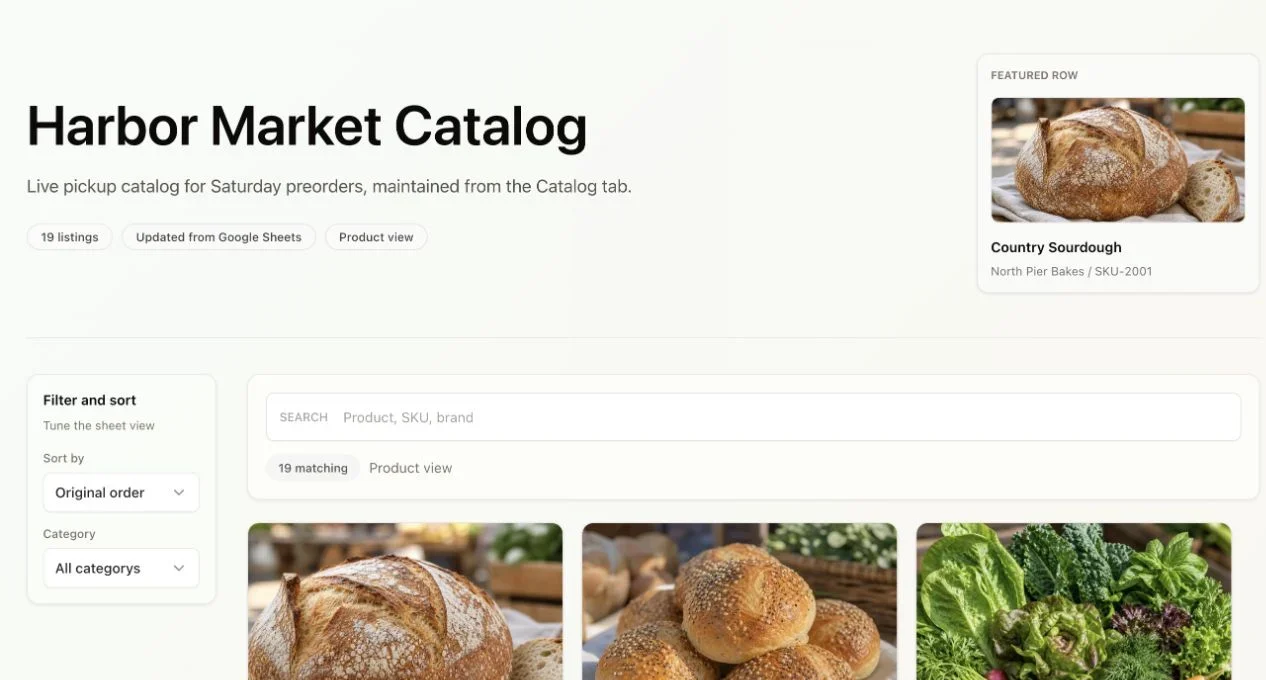
Turn selected sheet rows into a hosted page with search, filters, images, and only the fields you choose to expose.
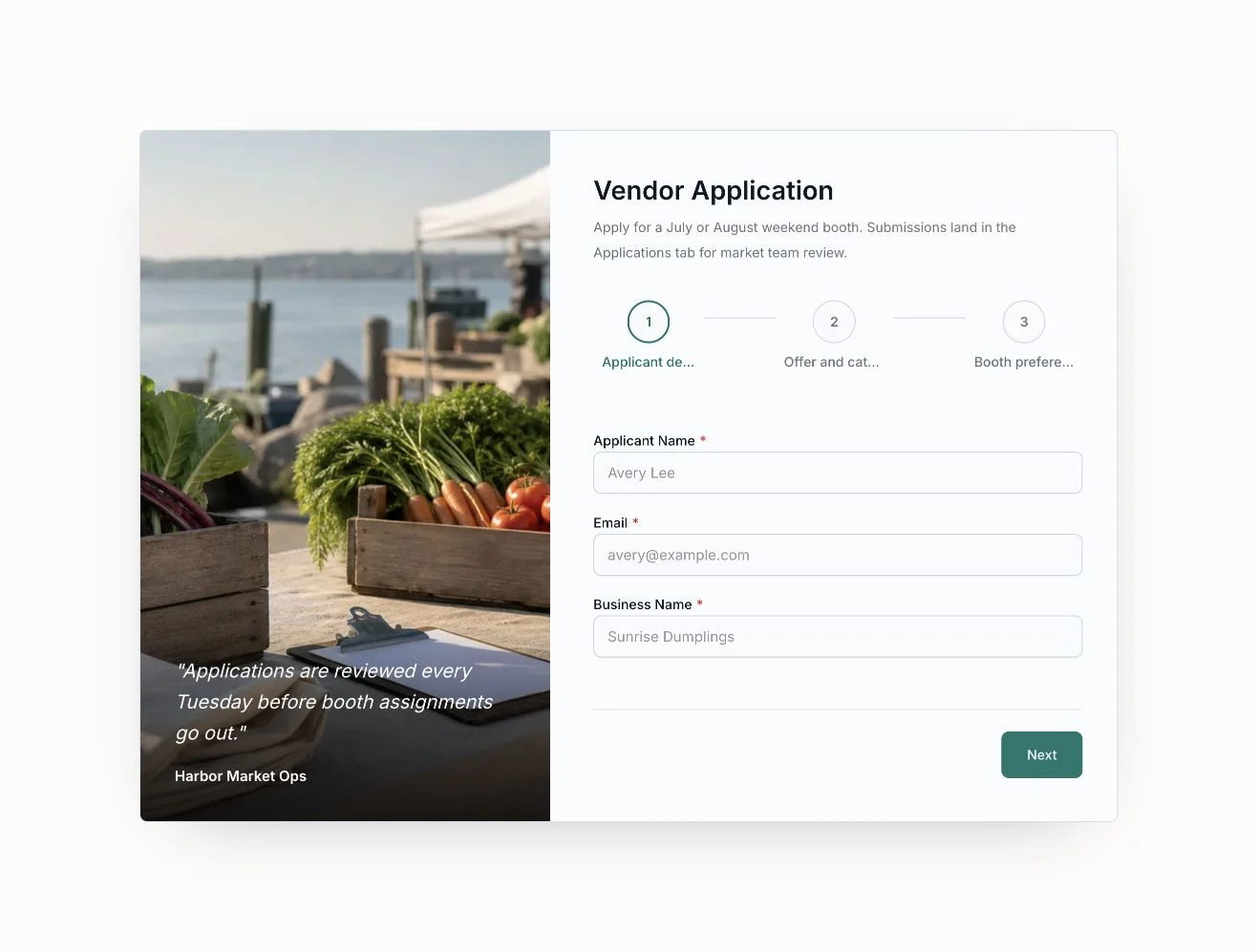
Build sectioned intake flows that feel intentional to visitors and write structured submissions back to the connected Sheet.
The weekend-builder trap
The first version of a product usually needs a small database, a lead form, and a way to read the data. Your Sheet already has the shape. Sheetfront makes it usable.
Without Sheetfront
With Sheetfront
No database ceremony. No backend detour. No OAuth wrestling.
Three outputs from one source
Forms
Turn visible Sheet headers into editable form fields, publish a hosted form, and append valid submissions back to the connected Sheet.
Mini Pages
Turn selected rows into a public page with search, filters, links, images, and a Sheetfront-powered URL.
API
Use standard HTTP endpoints, scoped keys, and cache-friendly responses with your app or automation tool.
GET /api/v1/sheets/{id}/data
200 OK
{
  "rows": [
    { "status": "Live" }
  ]
}Use it this weekend
Collect launch emails, qualify early users, and keep every response in the Sheet you already share.
Manage listings in Sheets, publish a searchable directory, accept new submissions, and expose the same rows through an API.
Ask structured questions, route responses to your team, and spot patterns before building the next feature.
Connect once
Sheetfront sits between your spreadsheet and the surfaces you ship.
OAuth once. Only the Sheets you add become connections.
Columns become fields, schema hints, and API response keys.
Publish a mini page, create a form, generate API keys, or use them together from one Sheet.
Validate demand first. Replace the backend later only if success earns it.
You're right. It's not. And for your MVP with 50 users, you don't need one.
Sheetfront isn't for your Series B scale problems. It's for validating whether you have a business before you build infrastructure for one.
Outgrow it? Great. That's the goal.
You can. Then you'll export CSVs, set up Zapier, and pray the sync doesn't break.
Or your data could just live in the Sheet your team already uses. No sync. No export. It's already there.
You can. You'll set up OAuth, handle token refresh, manage credentials, parse nested responses, and hit rate limits at the worst time.
Or you can skip all that and ship today.
No. Mini pages are a focused way to publish a searchable public view of your Sheet rows, usually for directories, resource lists, catalogs, and simple launch pages.
They use your visible Sheet columns for search, filters, links, images, and metadata. If you hide a column in Configuration, it stays out of the public page.
Honeypot fields, rate limiting, and submission timing checks are on by default. For extra protection, enable reCAPTCHA or Cloudflare Turnstile with one toggle.
Your sheet rows stay in Google Sheets. Sheetfront fetches and caches API responses on demand rather than keeping a permanent copy of your Sheet data.
Form responses are written to your Sheet by default. Sheetfront stores submission metadata so you can see delivery status and counts; full response history is only stored if you enable the Sheetfront inbox. API keys are hashed. Revoke access anytime.
Forms handle spam protection automatically. API responses are cached so you're not hammering Google. When you truly outgrow Sheets (congrats!), export your data and migrate. No lock-in.
Test first. Trial when ready.
Start a 14-day Starter or Pro trial when any of these is true:
Payment method required; Paddle confirms the trial before paid features unlock.
Launch
For projects with real traffic, customer data, and more than one published output.
Scale
For higher volume, stronger form protection, and deeper visibility.
Free Sandbox
Connect one Sheet, publish one form or Mini Page, and verify the read-only API. No card required.
Includes: 1 Sheet connection, 1 Form, 1 Mini Page total with Sheetfront branding, 500 API calls/month, 100 form submissions/month, Read-only API (GET).
I built this to stop writing Google Sheets scripts at my day job. It's my first SaaS, built nights and weekends. I know you're not sure if this thing will work yet. I'm figuring it out too. Use Free Sandbox while the idea is still fragile. Start a Starter or Pro trial only when Sheetfront is helping you ship something people will use. The included fair-use limits keep email, upload, and Sheet write usage predictable without hiding the useful numbers.
Use Free Sandbox to validate. Start Starter when an MVP has users. Start Pro when forms or the API are part of daily operations.
Bring the idea. Bring the data. Skip the infrastructure warm-up.
Collect responses with a Form.
Power your app with an API.
Ship this weekend.
No credit card. Forms + API included. Setup in 60 seconds.